Understand complexity by mapping it
See how the work really runs.
Map it, simulate it, fix it together.
- Untangle the current processes
- Simulate and optimise processes right on the map
- Workshop the ideal process and test it
- Map and analyse a customer journey
Even the free plan is usable. No card needed.
Complexity is a tool for mapping processes. You describe the steps: who does what, what each step needs, and where it goes next. The map draws itself. Then work on it with others, and share it with anyone to gather feedback.
Map quickly
Forget arranging shapes: Complexity draws the map for you.
Keep the unknown in check
Complexity helps you map the known and discover the unknown.
Clear presentation, no training needed
Complexity maps are easy for anyone to read and understand
Gather feedback
Best-in-class sharing, commenting and co-editing
Small app, big features
No tidying by hand
No more hours spent lining up shapes and colouring them by type. Complexity draws the map and keeps it tidy, however many steps and branches there are, while you can still style it your way.
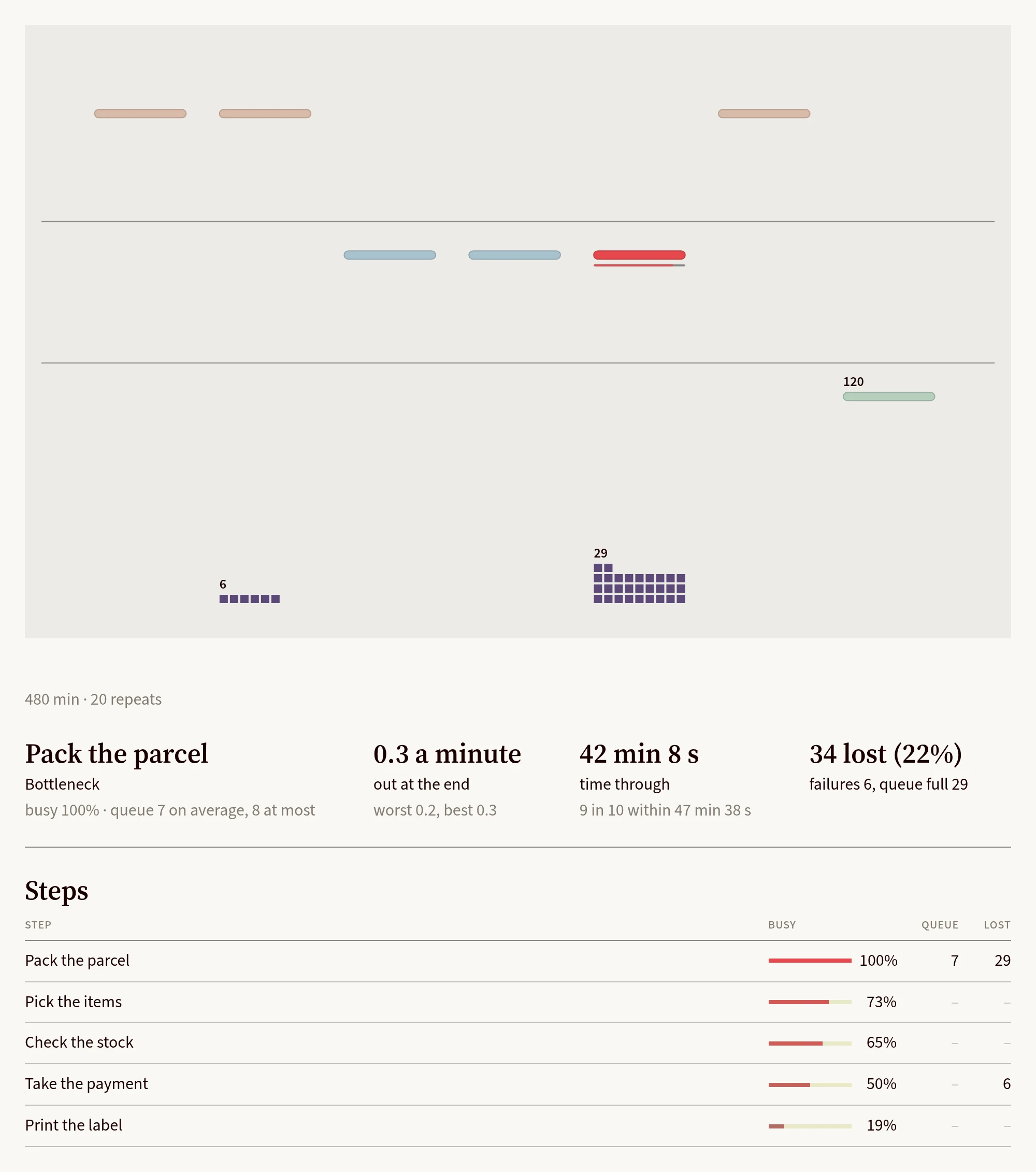
Find a process’s weak spots in simulation
Find bottlenecks, underused steps and unnecessary delays. Set each step’s processing time, queue size and capacity (people or machines working in parallel). Run a Monte Carlo simulation for a set period or number of incoming jobs. Experiment with changes, rerun and compare results – before committing to real‑world changes.
Work on a map together
Complexity is made for sharing the load.
- Invite co-editorsSeveral people can change a map at the same time: you see who is there and what each is editing, and nobody overwrites anybody.
- Share a map with as many reviewers as you likeThey comment right on the steps, so you know exactly what they are writing about. Then go through the comments and update the map.
See what is missing (yet!)
Your knowledge gaps stay visible. An output that goes nowhere, or an input that comes from nowhere, is listed as an issue. Not ready to map a branch yet? Add the input anyway and connect it later.
Want to learn more about a step to map it, but later? Tag it “For later”. See a trouble spot? Tag it “Problem”. Tags make it easy to come back to a map and pick up where you left off.
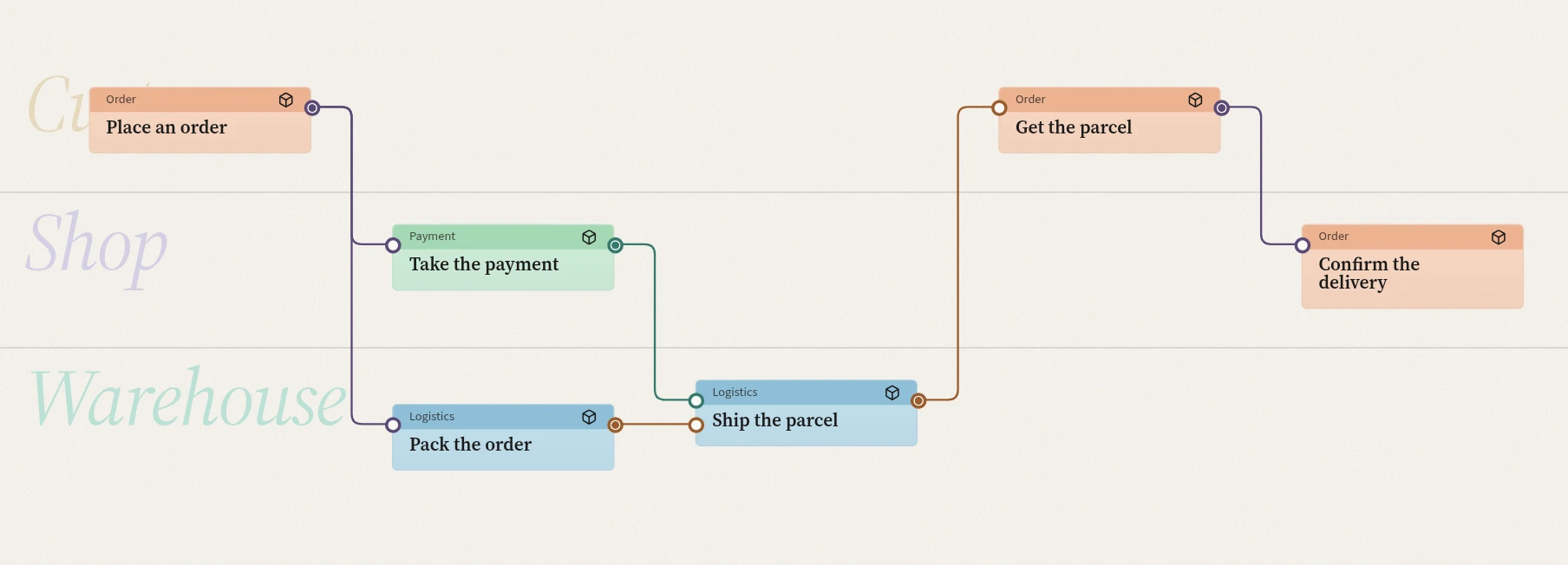
Orchestrate with swimlanes
When many actors take part, it gets hard to see who does what, and when the work passes on. Give each a lane: one for the customer, one for the shop, one for the warehouse. The interaction points stand out.
Find your way on a big map
- Want to keep some steps together? Group them. Want them out of sight for a while? Close the group. Want to see only what is inside? Hoist the group, and everything else is hidden.
- Pick a step and follow every path from it or to it with the arrow keys, checking each step on the way. Or highlight everything that comes before it or after it, to see all the ways at once.
Keep your notes close
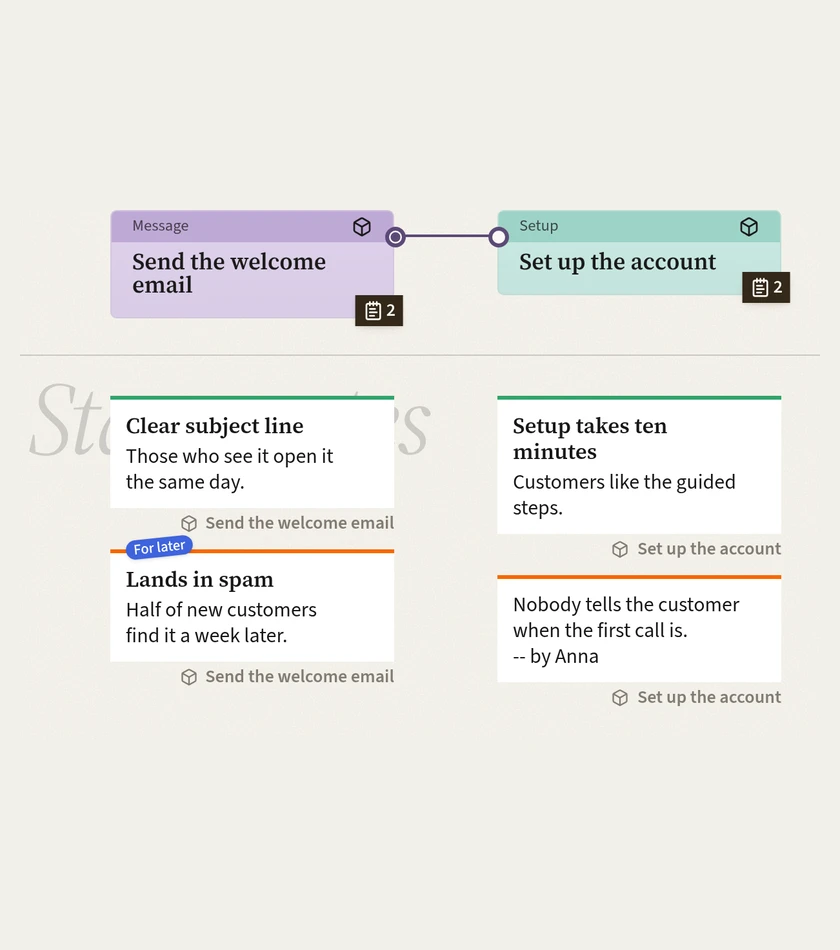
You don’t have to spend time aligning callouts to the map, or keep node cards wordy to fit everything in. Write anything on a note, attach it to a step (or several), and the note follows its steps by itself. All your observations (what works, what fails) and ideas – right where you need them.
- Stage notes sort themselves by typeTag them for faster scanning.
- From feedback to findings in one clickTurn any comment into a Stage note, signed by its author.
Work on your map with AI
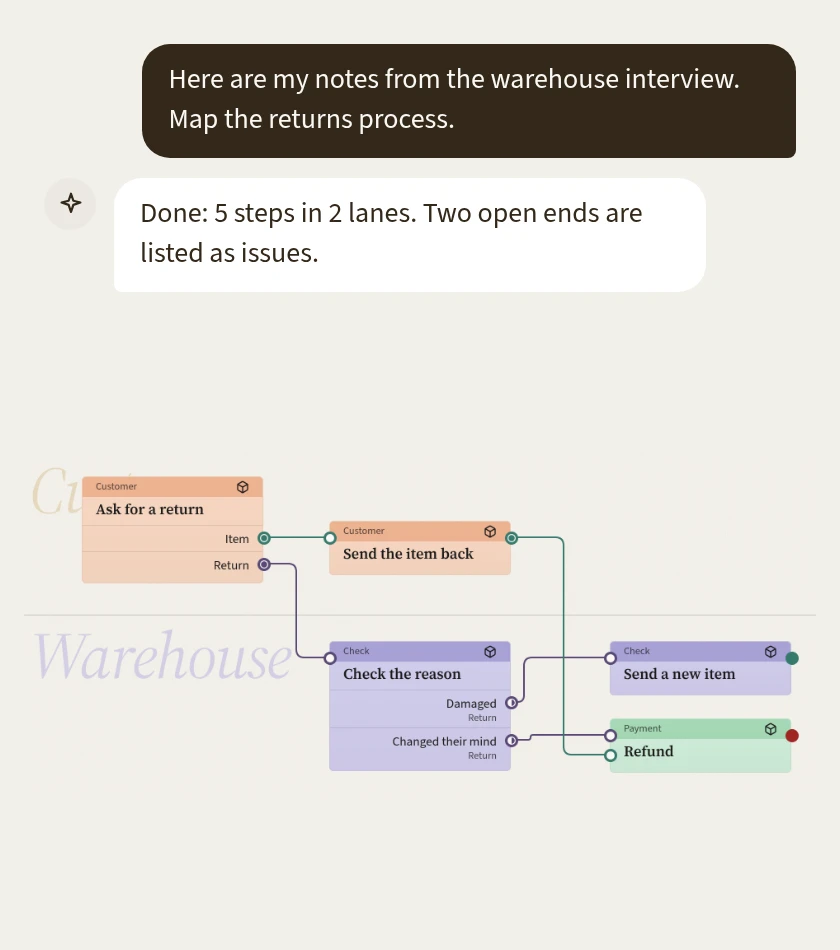
ChatGPT, Claude, Grok and most other AI assistants can read and change your maps. Feed your notes from stakeholder meetings, or your observation log, to the AI and ask it to map the process in question.
The AI then drafts a map from your procedure or transcript.
Last, but not least
Print and export
Single and multiple page exports per map
Jira, GitHub etc. embeds
Put the living maps into your documentation
PIN-protected view links
Keep your maps from prying eyes
Consult the map on the go
Readable even on a phone’s small screen
Right-to-left maps
For Hebrew and other RTL readers
A map anyone can read (and write)
Flow you can see
Highlight any flow or a single line to follow it through the map.
Loops are obvious
Lines that run back to an earlier step are dotted.
Clear start and finish
Mark the first and last steps and they will stand clear.
Wordiness as a choice
Choose how much text to show on the cards at will.
Map your first process today
Even the most complex system gets clearer once you map it.